> For the complete documentation index, see [llms.txt](https://because.gitbook.io/because/llms.txt). Markdown versions of documentation pages are available by appending `.md` to page URLs; this page is available as [Markdown](https://because.gitbook.io/because/the-because-platform/openapi/top-bars.md).
# Top Bars
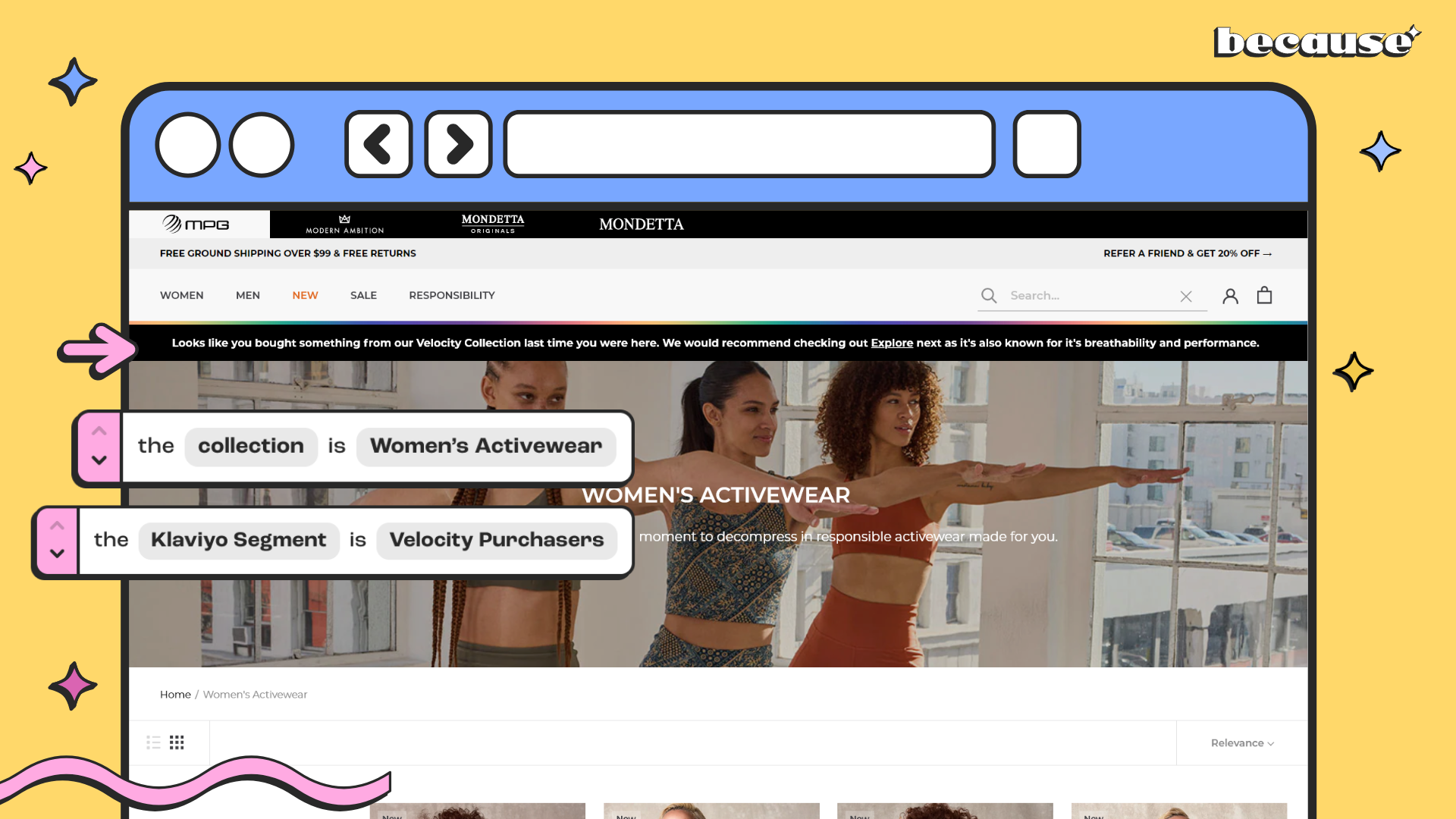
Sitting neatly at the top of your site, Top Bars are perfect for high-visibility messaging that adapts in real-time based on who’s browsing.
From free shipping alerts to subscription callouts, they help you speak to each customer, personally and powerfully.
***
## **What Makes Top Bars Stand Out?**
* **Always-On Visibility**
As a fixed banner at the top of your page, Top Bars are hard to miss—but soft enough not to interrupt the shopping flow.
Because Top Bar
* **Real-Time Personalization**
Top Bars can change based on your Klaviyo data, customer behavior, geolocation, cart value, product preferences, or lifecycle stage. That means one customer might see “Welcome back, VIP!” while another sees “Subscribe today and save 15%.”
Because Top Bar Targeting Klaviyo Segment
* **On-Brand & Customizable**
You can customize colors and fonts to match your brand’s look and feel, ensuring your bar feels native—not tacked on.
***
## **Great For…**
* Shipping thresholds (“You’re $10 away from free shipping!”)
* Subscriber-only offers
* Location-based promos
* Loyalty program nudges
* Flash sales or time-sensitive announcements
* Multi-message promotions with the Rotating Bar
* CTA-driven banners with Clickable Bars
Because Welcome Top Bar Case Study
Because Retargeting Top Bar Case Study
Because Abandoned Cart Top Bar Case Study
***
## **Where Can I Use Them?**
You choose! Display Top Bars across:
* All Pages
* Homepage
* Collection pages
* Product pages
You can even layer targeting so different audiences see different messages on different pages—all running automatically behind the scenes.
{% hint style="info" %}
Pro Tip: Pair your Top Bar with other content types—like a dynamic Badge or Banner on the same page—for a multi-layered personalization experience that feels smart, not overwhelming.
{% endhint %}
***
## **🚀 Now in Beta: Even Smarter Top Bars**
**Rotating Top Bar** (Beta)
* Have more than one message to share? The Rotating Top Bar cycles through multiple messages in one bar—ideal for campaigns with layered promotions like “Free shipping | 15% off new arrivals | Subscribe & save.”
**Clickable Top Bar** (Beta)
* Turn your Top Bar into a call-to-action. Add a clickable link that drives traffic to a collection, product page, or special offer—perfect for increasing engagement and guiding users toward conversion-friendly pages.
***
## Ready to Try It?
In the Because campaign editor, select “Top Bar” as your content type, then select your page type. From there, you’ll choose your message, adjust styling, and set your targeting rules.
If you have any questions about top bar campaigns or need assistance, don’t hesitate to contact our support team at [**support@trybecause.com**](mailto:support@trybecause.com). We’re here to help!